


Anime Zero Script covers farming and area progression in this Roblox anime combat game. Auto Farm clears enemies and available content automatically, and Farm Modes lets you pick the style that fits your setup, similar to the farming loop behind the Jujutsu Zero Script, another anime combat game where steady farming matters more than any single fight. Auto Skill fires your combat skills for you, Auto Collect Drops picks up loot as it falls, and Disable Combat Cursor removes the cursor so it stays out of your way.
Anime Zero Script Features
- Auto Farm / Farm Modes: farms enemies and content with your chosen mode
- Auto Skill: uses combat skills automatically
- Auto Collect Drops: collects dropped items automatically
- Disable Combat Cursor: removes the combat cursor
- Auto Next Area: moves to the next area automatically
- Auto Difficulty: automates difficulty selection
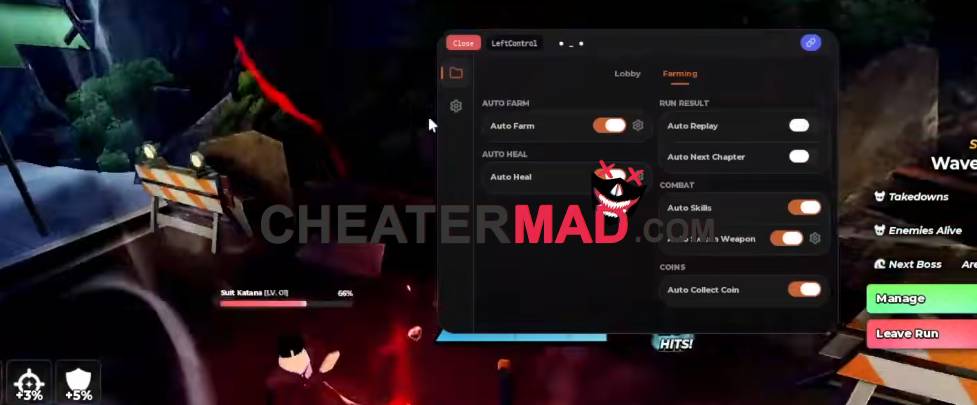
Anime Zero Script Areas & Difficulty keeps you moving forward. Auto Next Area advances to the next zone on its own and Auto Difficulty handles the selection for you, the kind of hands-off progression behind the Anime Duelists Script 2026, where moving up without stopping at menus is what keeps a run efficient.
How To Use Anime Zero Script
- Load into Anime Zero and open your executor
- Paste the script code below
- Execute and wait for the menu
- Pick your Farm Mode first, then turn on Auto Farm and Auto Next Area
Script Code:
loadstring(game:HttpGet("https://raw.githubusercontent.com/joustingmatch/Ouroboros/main/loader.lua"))()
