


Make Rugs Script runs the whole rug chain in this Roblox crafting game, from rolling yarn to hanging the finished piece. Auto Roll Yarn and Auto Collect Yarn keep the materials coming, and Use Protected Yarn Option helps you decide how protected yarn is handled, similar to the material rolling behind the Roll a Gnome Script Pastebin, another roll game where what you do with each pull shapes the rest of the run.
Make Rugs Script Features
- Auto Roll Yarn / Auto Collect Yarn: rolls and collects yarn automatically
- Use Protected Yarn Option: handles protected yarn your way
- Auto Make Rug: automates rug production
- Rug Design Picker: selects the rug design you want
- Auto Shave Rug: shaves finished rugs automatically
- Auto Hang Rug: hangs rugs where supported
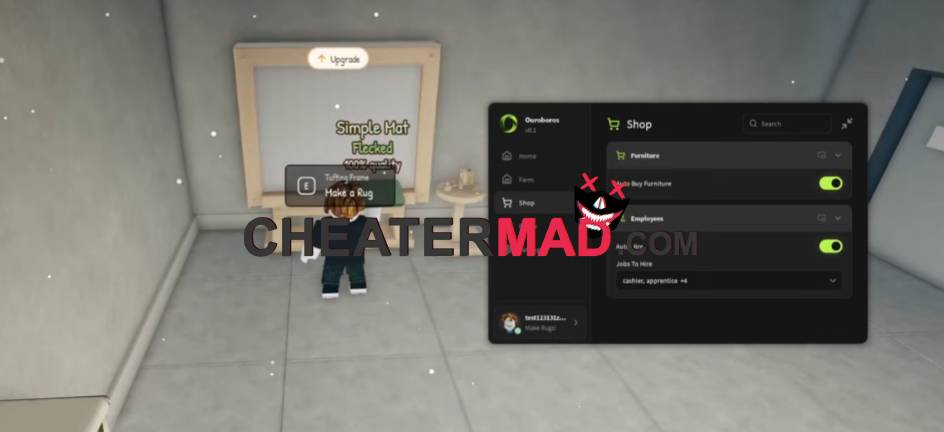
The crafting stage follows the same hands-off flow. Make Rugs Script Auto Make Rug produces the rugs, Rug Design Picker lets you choose the design, Auto Shave Rug cleans up the finish, and Auto Hang Rug puts the result on display, the same step-by-step pipeline behind the Craft Food Script, where finishing every stage in order is what produces the final item.
How To Use Make Rugs Script
- Load into Make Rugs and open your executor
- Paste the script code below
- Execute and wait for the menu
- Pick your Rug Design first, then turn on Auto Roll Yarn and Auto Make Rug
Script Code:
loadstring(game:HttpGet("https://raw.githubusercontent.com/joustingmatch/Ouroboros/main/loader.lua"))()
