


Sweep The Moon Script automates the cleaning loop in this Roblox lunar cleanup game. Independent Auto Clean sweeps the surface on its own, Continuous Cleaning Tween keeps you moving smoothly while you work, and Adjustable Cleaning Speed lets you set the pace, similar to the clean-and-collect routine behind the Clean Crew Script, another cleaning game where covering the whole area steadily matters more than any single sweep. Auto Farm adds overall progression on top.
Sweep The Moon Script Features
- Auto Farm: automates farming for overall progression
- Independent Auto Clean: automates cleaning of the lunar surface
- Independent Auto Sell: sells collected resources independently of cleaning
- Automatic Canister Unloading: unloads collected dust automatically
- Continuous Cleaning Tween / Adjustable Cleaning Speed: smooth movement with adjustable speed
- Auto Upgrades / Auto Buy Tools: buys upgrades and tools automatically
- Upgrade Selection: chooses which upgrades to prioritize
- Target Class Rolls: targets class rolls
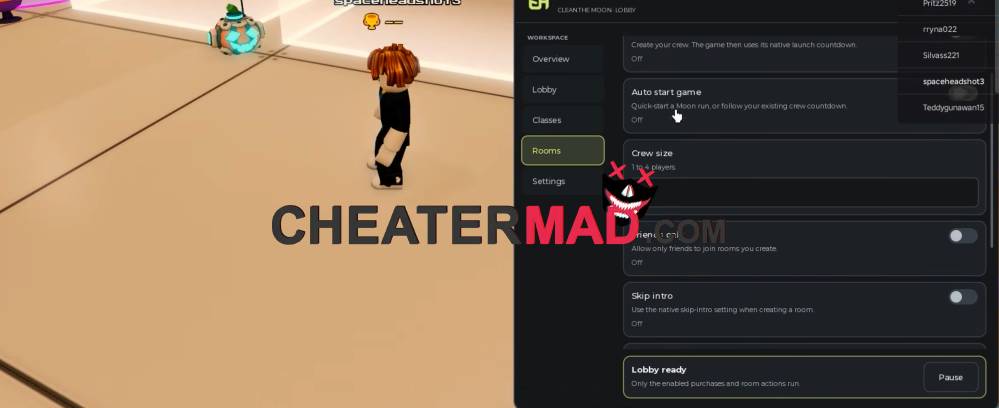
Selling and upgrades keep everything moving. Sweep The Moon Script Independent Auto Sell cashes in resources separately from cleaning, Automatic Canister Unloading empties your canister when it fills, and Auto Upgrades with Auto Buy Tools and Upgrade Selection spend the money on the improvements you choose, plus Target Class Rolls for the class roll targeting, the same clean-sell-reinvest cycle behind the Dig & Clean Script, where unloading and selling on time is what keeps the loop going.
How To Use Sweep The Moon Script
- Load into Sweep The Moon and open your executor
- Paste the script code below
- Execute and wait for the menu
- Turn on Independent Auto Clean and Independent Auto Sell first, then set your
- Upgrade Selection and enable Auto Upgrades
Script Code:
loadstring(game:HttpGet("https://raw.githubusercontent.com/suzukir987/School-Hub/main/loader.lua"))()
