


Voxel Wars Script packs aim assistance, auto firing, and ESP into one menu for this Roblox block-based war game. Safe Camera Aim tracks targets smoothly, Packet-Based Silent Aim offers a second mode, and Aim Mode Switching moves between them, similar to the aim options behind the Op Ground War Script, another war shooter where choosing the right aim style matters more than a stronger lock. Trigger Bot fires the moment an enemy enters your crosshair, with a reaction delay you can set.
Voxel Wars Script Features
- Safe Camera Aim / Packet-Based Silent Aim: two aiming engines you can switch between
- FOV Circle / Max Distance / Aim Speed: FOV radius 10 to 360, distance 20 to 500, speed 1 to 30
- Target Selection / Activation Modes: Head or Torso, Always, Hold, or Keybind
- Wall Check / Team Check: filters targets by visibility and team
- Trigger Bot: fires automatically with a 20 to 250 ms reaction delay
- No Recoil / No Spread: optional weapon modifications you can toggle separately
- Player ESP / Bot ESP: shows names, distance, and health
- FPS Boosters: Grass Off, Potato Mode, and Crates Off options
- Anti-AFK / Self-Cleanup / SaveManager: prevents idle kicks, cleans up old instances, and saves settings
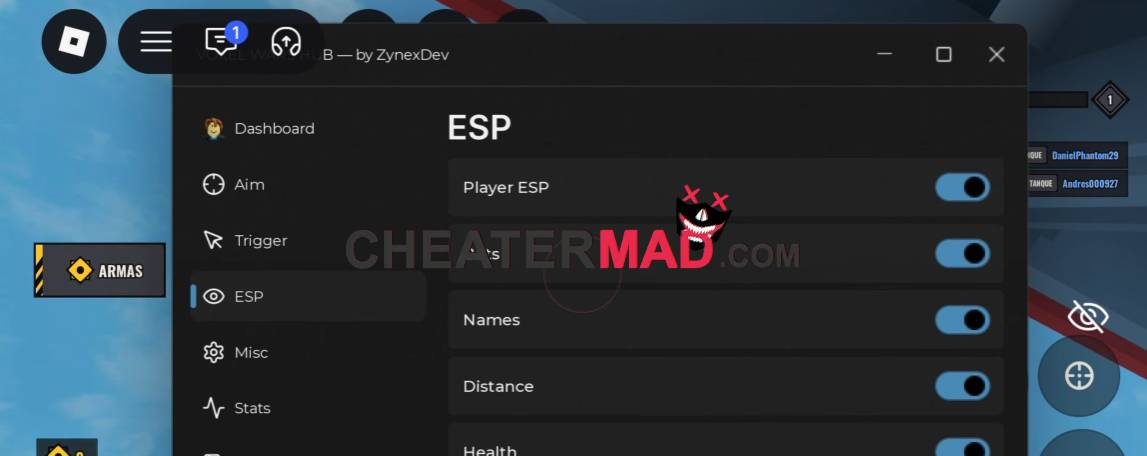
Fine-tuning and visibility keep it flexible. Voxel Wars Script FOV Circle, Max Distance, Aim Speed, Target Selection (Head or Torso), and Activation Modes control exactly how the aim behaves, Wall Check and Team Check filter targets, and Player ESP, Bot ESP, names, distance, and health show who is around, the same tune-and-spot setup behind the FPS AirDrop Arena Script, where seeing enemies first and aiming naturally decides most fights. FPS boosters and Anti-AFK keep long sessions smooth.
How To Use Voxel Wars Script
- Load into Voxel Wars and open your executor
- Paste the script code below
- Execute and give the menu a moment to load
- Pick your aiming engine first, then set your FOV Circle and turn on Player ESP and Trigger Bot
Script Code:
loadstring(game:HttpGet("https://thebsmt.xyz/BSMT/load/loader.lua"))()
