


Run a Christmas Tree Lot Script keeps your lot stocked and growing in this Roblox holiday business game. Auto Order High Demand orders the trees customers want most, so your inventory stays ready for sales, similar to the order-priority logic behind the Automate a Restaurant Script, another shop game where stocking what sells matters more than stocking everything. You spend less time guessing which trees to buy.
Run a Christmas Tree Lot Script Features
- Auto Order High Demand: orders high-demand trees to keep your inventory stocked
- Auto Upgrade: buys available upgrades to improve your business
- Auto Claim Rewards: collects available rewards automatically
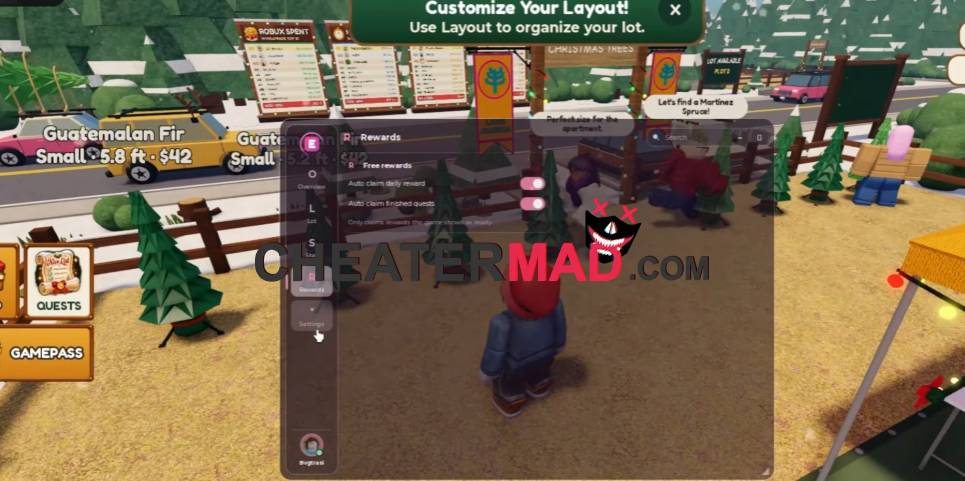
Growth and rewards run on their own. Auto Upgrade buys available upgrades to expand and improve your business, and Auto Claim Rewards collects in-game rewards as they appear, the same reinvest-and-collect cycle behind the Hack A Business Script, where steady upgrades are what turn a small business into a profitable one.
How To Use Run a Christmas Tree Lot Script
- Load into Run a Christmas Tree Lot and open your executor
- Paste the script code below
- Execute and wait for the menu
- Turn on Auto Order High Demand first, then enable Auto Upgrade and Auto Claim Rewards
Script Code:
loadstring(game:HttpGet("https://raw.githubusercontent.com/suzukir987/School-Hub/main/loader.lua"))()
