


Build and Kill Zombies Script covers both the zombie-clearing and vehicle-progression sides of this Roblox survival game. Auto Zombie Farm clears waves automatically, and Vehicle Farm with Auto Fuel Route keeps your vehicle running and fueled without you managing the route manually, similar to the vehicle-focused survival automation behind the Neox Hub Dead Rails Script, another zombie-survival game where keeping a vehicle running matters as much as clearing threats. Auto Turbo activates automatically when needed, and Fuel ESP highlights fuel locations so you’re never caught stranded.
Build and Kill Zombies Script Features
- Auto Zombie Farm: clears zombie waves automatically
- Vehicle Farm / Auto Fuel Route: keeps your vehicle running and fueled
- Auto Turbo: activates turbo automatically
- Auto Roll / Buy Car Parts: upgrades your vehicle by selected rarity
- Auto Roll / Buy Supports: upgrades supports by selected rarity
- Auto Buy Skills: purchases available skills automatically
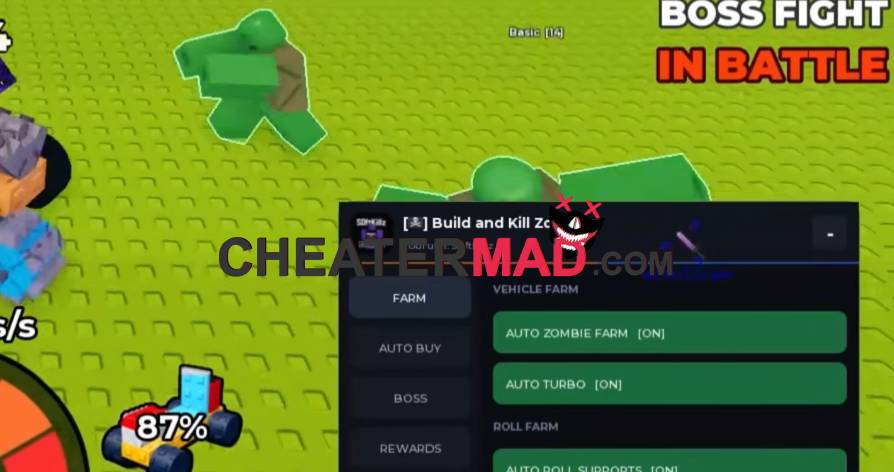
Build and Kill Zombies Script Car Parts & Supports goes deep on the vehicle upgrade side: Auto Roll Car Parts and Auto Buy Car Parts with a selected rarity filter keeps your vehicle scaling automatically, and Auto Roll Supports with Auto Buy Supports extends that same filtered approach to structural upgrades, the kind of rarity-targeted progression behind the Cars VS Tape Script where filtering for quality upgrades matters more than grabbing everything available. Roll Farm automates the rolling progression overall, and Auto Buy Skills with Buy Next Skill rounds out character progression.
How To Use Build and Kill Zombies Script
- Load into Build and Kill Zombies and open your executor
- Paste the script code below
- Execute and wait for the menu
- Set your car part and support rarity filters first, then turn on Auto Zombie Farm and Vehicle Farm
Script Code:
loadstring(game:HttpGet("https://raw.githubusercontent.com/Nanana291/Imp/refs/heads/main/Kronos.lua"))()
