


DON’T LOOK BACK Script covers more ground than most survival horror scripts bother with, and the reason it needs to is that this game runs on constant threat tracking, resource management, and skill checks all happening at once. Master ESP anchors the visual side with Entity ESP, Scrap ESP, Player ESP, Power Box ESP, and Trap ESP all under one toggle, so instead of scanning the map manually you see every threat and resource at once, similar to the layered ESP setup behind the Demonology Script, another horror survival game where knowing what’s around you before it’s too late decides most runs.
The alert system is what actually separates this from a basic DON’T LOOK BACK Script ESP. Critical Health Warning and Low Stamina Warning catch the two things that get most players killed through simple inattention, Hidebehind Skill Check Alerts and Locust Grab Alerts flag the specific encounter types this game is built around, and Dawn Countdown with Phase Escalation Notifications keep you aware of where you are in the night cycle without checking a timer yourself. On the automation side, Auto-Hit Power Box Skill Checks and Auto-Start Power Repairs handle two of the most failure-prone manual actions in the game, while Auto-Sell Scraps and Auto-Repair Gear keep your economy running in the background.
DON’T LOOK BACK Script Features
- Master ESP: combines entity, scrap, player, power box, and trap ESP into one toggle
- Critical Health Warning: alerts you before low health becomes fatal
- Hidebehind Skill Check Alerts: warns you when a Hidebehind encounter is happening
- Locust Grab Alerts: flags Locust grab attempts as they occur
- Dawn Countdown: shows exactly how long until the night phase ends
- Auto-Hit Power Box Skill Checks: completes power box skill checks automatically
- Auto-Start Power Repairs: begins power repairs without manual input
- Auto-Sell Scraps: sells your scrap automatically
- Auto-Repair Gear: repairs your gear as needed
- NoClip: lets you move through walls and obstacles
- Fly Mode: gives you free movement across the map
- Teleport to Nearest Power Box: warps you straight to the closest power box
- Auto-Pass Hidebehind Check: clears Hidebehind skill checks automatically
- Auto-Pass Locust Struggle: clears Locust struggle sequences automatically
- Anti-Jumpscare: removes jumpscare effects
- Anti-Ragdoll: prevents you from being ragdolled
- And More: a much larger set of trackers, visuals, and automation tools is built into the full menu
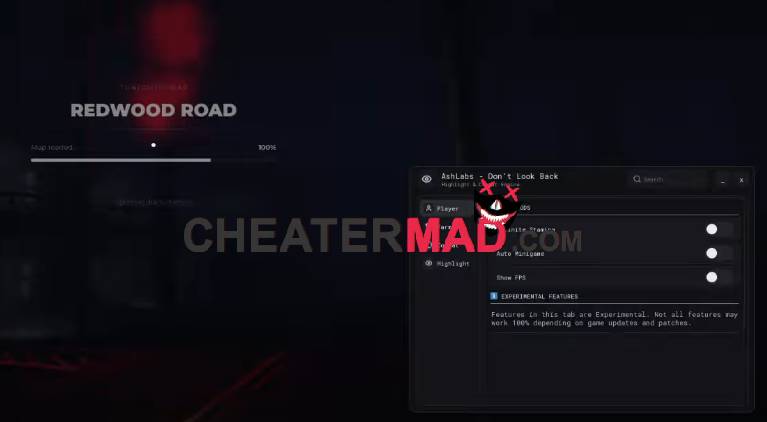
For movement and survival, NoClip, Fly Mode, and Teleport to Nearest Power Box cover getting where you need to go fast, and the anti-features round out the defensive side: Auto-Pass Hidebehind Check and Auto-Pass Locust Struggle remove two of the harder skill-based encounters entirely, while Anti-Jumpscare and Anti-Ragdoll keep you from losing control at the worst possible moment, the same kind of layered survival protection behind the Astral Hub Doors Script.
How To Use DON’T LOOK BACK Script
- Load into DON’T LOOK BACK and open your executor
- Paste the script code below
- Execute and give the menu a moment to fully load given how much it covers
- Turn on Master ESP and Critical Health Warning first, then layer in the automation and anti-features once you’re familiar with the menu
DON’T LOOK BACK Script Code:
loadstring(game:HttpGet("https://raw.githubusercontent.com/captainmanjiro/Don-t-Look-Back/refs/heads/main/Script"))()
