


Global Hub Weird Gun Game Script is a custom script engine created to play the chaotic and entertaining shooter of Roblox called Weird Gun Game, which provides players with absolute power. This tool plays in the game as the name indicates; one is in control of not only their weapons but also the whole battle. It is a necessity to every person aspiring to have an advantage in this highly competitive game.
Features of Global Hub Weird Gun Game Script
- AimBot
- Team Check
- Fov Size
- WalkSpeed
- JumpPower
- And More!
Aimbot, Team Check, Fov Size, WalkSpeed, and numerous other features are the main peculiarities of the script. Aimbot will aim at the enemies automatically and make sure all your shots are correct, Team Check will not make you shoot your teammates.
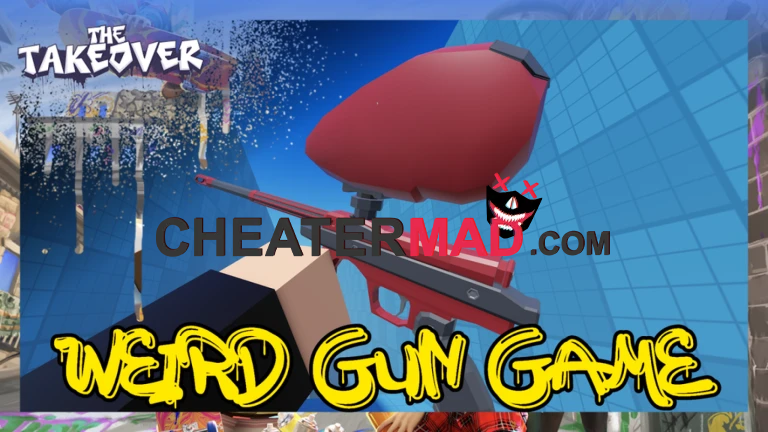
Fov Size is allowing you to customize your field of view and WalkSpeed allows you to move faster and more agilely on the map. Together, these aspects render it almost impossible that your rivals will be able to follow suit.
How to use Global Hub Weird Gun Game Script
- Turn on your Weird Gun Game Game.
- Embed the Global Hub Code for script
- Run it Take in the material presented here.
In case you want to explore this script, you can freely find this free cheat file at cheatermad.com. You will find dozens of new and high-quality scripts on Roblox. In case you would like to make the rules in Weird Gun Game, this Global Hub Weird Gun Game Script is the one you need!
Free Global Hub Weird Gun Game Script 2025
local Players = game:GetService("Players")
local player = Players.LocalPlayer
--// Script URLs
local MAIN_URL = "https://pastebin.com/raw/fEhC0siy"
local AIMBOT_URL = "https://raw.githubusercontent.com/DanielHubll/DanielHubll/refs/heads/main/Aimbot%20Mobile"
--// Load main script automatically
pcall(function()
local loadedMain = loadstring(game:HttpGet(MAIN_URL))()
if typeof(loadedMain) == "function" then
loadedMain()
end
end)
--// Aimbot Prompt UI
local gui = Instance.new("ScreenGui")
gui.Name = "AimbotPrompt"
gui.ResetOnSpawn = false
gui.Parent = game:GetService("CoreGui")
local frame = Instance.new("Frame")
frame.Size = UDim2.new(0, 300, 0, 150)
frame.Position = UDim2.new(0.5, -150, 0.5, -75)
frame.AnchorPoint = Vector2.new(0.5, 0.5)
frame.BackgroundColor3 = Color3.fromRGB(30, 30, 30)
frame.BorderSizePixel = 0
frame.Parent = gui
Instance.new("UICorner", frame).CornerRadius = UDim.new(0, 8)
local title = Instance.new("TextLabel")
title.Size = UDim2.new(1, 0, 0, 50)
title.Position = UDim2.new(0, 0, 0, 0)
title.Text = "Load Aimbot?"
title.Font = Enum.Font.GothamBold
title.TextSize = 20
title.TextColor3 = Color3.fromRGB(255, 255, 255)
title.BackgroundTransparency = 1
title.Parent = frame
--// Yes button
local yesBtn = Instance.new("TextButton")
yesBtn.Size = UDim2.new(0.45, 0, 0, 40)
yesBtn.Position = UDim2.new(0.05, 0, 1, -50)
yesBtn.Text = "Yes"
yesBtn.Font = Enum.Font.GothamBold
yesBtn.TextSize = 16
yesBtn.TextColor3 = Color3.new(1, 1, 1)
yesBtn.BackgroundColor3 = Color3.fromRGB(0, 170, 0)
Instance.new("UICorner", yesBtn)
yesBtn.Parent = frame
--// No button
local noBtn = Instance.new("TextButton")
noBtn.Size = UDim2.new(0.45, 0, 0, 40)
noBtn.Position = UDim2.new(0.5, 0, 1, -50)
noBtn.Text = "No"
noBtn.Font = Enum.Font.GothamBold
noBtn.TextSize = 16
noBtn.TextColor3 = Color3.new(1, 1, 1
noBtn.BackgroundColor3 = Color3.fromRGB(170, 0, 0)
Instance.new("UICorner", noBtn)
noBtn.Parent = frame
--// Button Actions
yesBtn.MouseButton1Click:Connect(function()
gui:Destroy()
pcall(function()
local loadedAimbot = loadstring(game:HttpGet(AIMBOT_URL))()
if typeof(loadedAimbot) == "function" then
loadedAimbot()
end
end)
end)
noBtn.MouseButton1Click:Connect(function()
gui:Destroy()
end)
