


Last Stop Script covers the driving and looting side of this Roblox bus-survival game, keeping you moving and collecting without stopping to manage each step. Auto Drive + Loot drives around while handling loot in the background, and Teleport To Bus with Return To Bus When Finished and Auto Return At Night keeps your runs structured instead of you losing track of time and getting stranded, similar to the run-management automation behind the Bus Master Script 2026, another bus-based survival game where knowing when to head back matters as much as what you collect along the way. Auto Burn / Refuel keeps your bus fueled automatically, and Speed Multiplier with Speed / Anti Slow keeps you moving fast even through slowing effects.
Last Stop Script Features
- Auto Drive + Loot: drives while handling loot automatically
- Teleport To Bus / Return To Bus When Finished: keeps runs structured
- Auto Burn / Refuel: manages fuel automatically
- Speed Multiplier / Anti Slow: keeps you moving fast
- Auto Loot [Smart]: automatically chooses and collects useful loot
- Loot ESP: highlights available loot on the map
- Auto Store To Backpack: stores collected items automatically
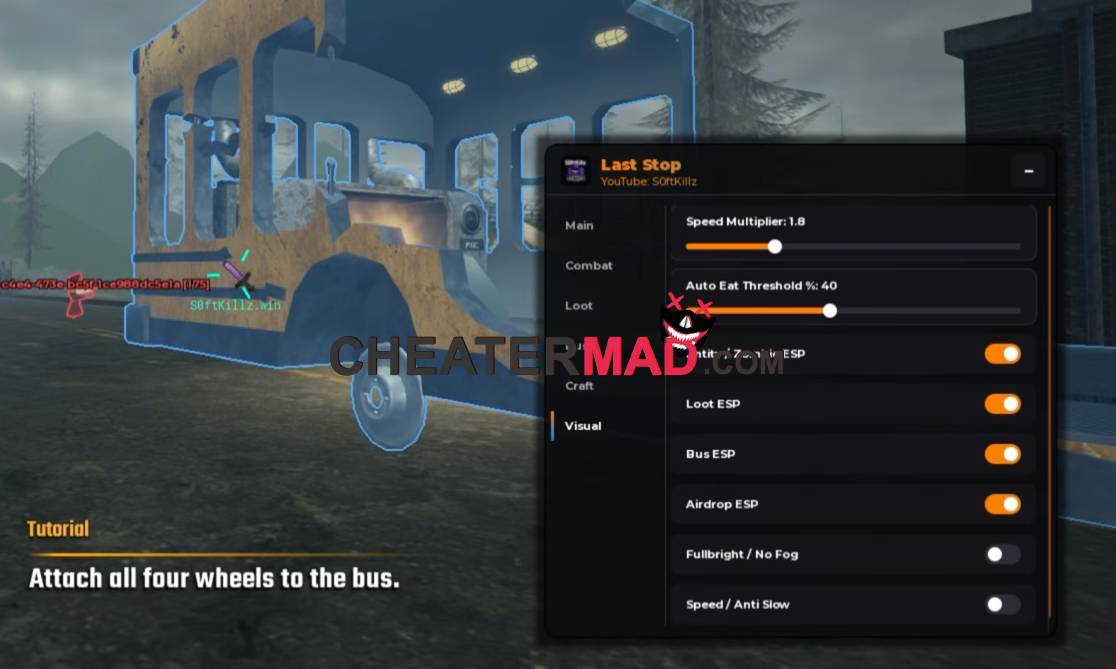
Last Stop Script the Loot & Storage system runs three separate collection modes, Auto Loot [Tp + Grab], Auto Loot [Smart], and Auto Grab Nearby, with Loot ESP and an adjustable Loot Range controlling what actually gets targeted, and Drive Before Loot Seconds letting you set how long to drive before a loot action begins, the kind of timing control behind the Utopia Hub Apocalypse Rising 2 Script where pacing your actions matters as much as the actions themselves. Auto Store To Backpack keeps everything organized automatically, and Drive Forward Now with Horn round out the manual controls.
How To Use Last Stop Script
- Load into Last Stop and open your executor
- Paste the script code below
- Execute and give the menu a moment to load
- Turn on Loot ESP and Auto Drive + Loot first, then set Drive Before Loot Seconds to your preferred pace
Script Code:
loadstring(game:HttpGet("https://gist.githubusercontent.com/user2084375/ef0c1434dc71b6bec4349ee57b04f1b5/raw/66f8d272ceecb1117226b0c7fd72a5850403399f/gistfile1.txt"))()
