


Phonk Edit Tower Script covers the full slap-battle style combat this Roblox tower game runs on, and the depth here matters since fling-based combat lives or dies on hitbox precision and movement control. Grab All Items sweeps up every slap type across the map, from Rust Slap and Body Swap Potion to Error Slap, Lucky Block, Ice Slap, and Lava Slap, so you’re never caught without the right tool mid-fight, similar to the item-grabbing automation behind the Slap Battles Scripts and Hacks, another slap-based combat game where having the right slap on hand decides most exchanges.
Phonk Edit Tower Script Combat & Interaction is where this goes deep. Slap Aura and Kill Aura with Glove Swap handle the actual hitting automatically, and Hitbox Size, Hitbox Expander, and Invisible Hitbox give you fine control over exactly how forgiving your reach is, with Aura Radius and Attack Delay tuning the pace. The fling system runs four separate modes, Regular Fling, Fly Fling, Walk Fling with No Spin, and Invis Fling, the kind of layered fling variety behind the Fling Things and People Script where different fling types suit different situations. Anti-Void, Anti-Ragdoll, and Anti-Stun protect you from the three ways a fling fight usually ends badly.
Phonk Edit Tower Script Features
- Grab All Items: collects every slap type automatically
- Kill Aura (Glove Swap): attacks automatically with adjustable hitbox and range
- Fling modes: Regular, Fly, Walk (No Spin), and Invis Fling
- Anti-Void / Anti-Ragdoll / Anti-Stun: protects against the main fling combat risks
- Teleport To Top of Tower: skips climbing entirely
- Fly: full WASD and Space/Shift flight controls
- Enable ESP: highlights players with chams, name tags, and a target HUD
- Music Controls: play your own track over the game’s default audio
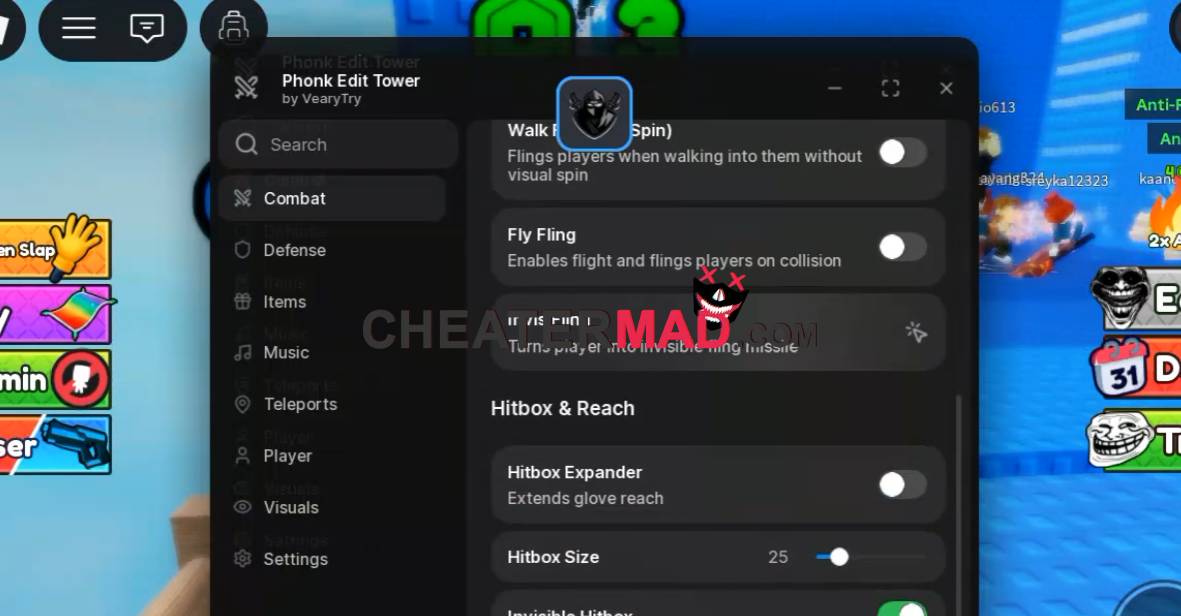
How To Use Phonk Edit Tower Script
- Load into Phonk Edit Tower and open your executor
- Paste the script code below
- Execute and give the menu a moment to load given how much it covers
- Turn on Kill Aura and ESP first, then adjust your hitbox and fling settings once you’re actually in a fight
Phonk Edit Tower Script Teleport and Teleport To Top of Tower cut out climbing entirely, and movement runs WalkSpeed, JumpPower, Infinite Jump, Fly with WASD and Space/Shift controls, and Noclip, all with adjustable values rather than fixed settings. The ESP suite covers players and targets through Highlight Chams, Name & Distance Tag, Fullbright, and a dedicated Target HUD with Target Marker, plus an Active Modules Ladder showing exactly what’s currently running. Music Controls round out the script with Select Track, Loop Track, and Music Volume for players who want their own soundtrack over the game’s default audio.
Phonk Edit Tower Script Code:
loadstring(game:HttpGet("https://raw.githubusercontent.com/VearyTry/DeluxedHub/refs/heads/main/phonktower.luau"))()
