


Roll A Stickman Script automates the card rolling and the army upkeep in this Roblox stickman game. Auto Roll collects cards, and Auto Open Reward Cards and Auto Open Packs open them without extra clicks, similar to the roll-and-open loop behind the Roll a Gnome Script Pastebin, another roll game where every pull should be put to use right away. Auto Buy Upgrades and Auto Drink Potions keep your boosts running in the background.
Roll A Stickman Script Features
- Auto Roll: rolls to collect cards automatically
- Auto Open Reward Cards / Packs: opens reward cards and packs automatically
- Auto Equip Best: equips your best units
- Auto Level Up All: levels up all eligible units
- Auto Set Battle Speed: sets the battle speed automatically
- Auto Buy Upgrades / Auto Drink Potions: buys upgrades and uses potions automatically
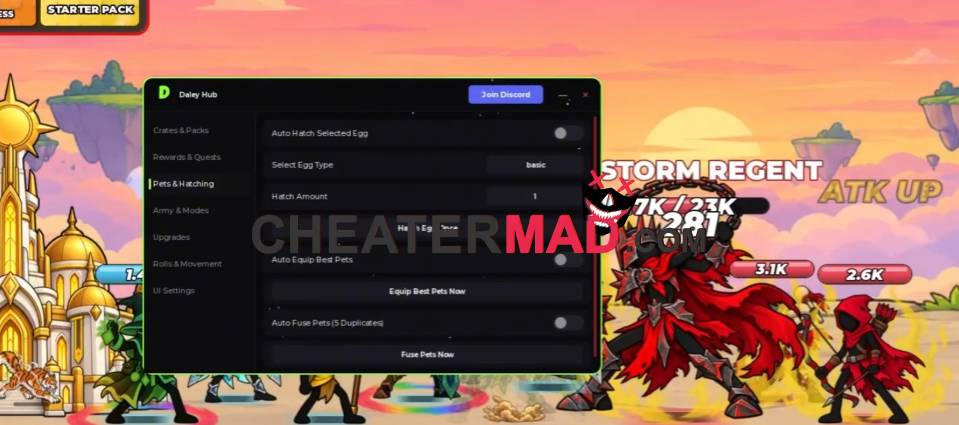
Army and Battle Management keeps your lineup strong. Auto Equip Best puts your best units forward, Auto Level Up All raises every eligible unit, and Auto Set Battle Speed picks the speed for you, the same kind of unit upkeep behind the Merge a Mini Army Script, where a stronger army comes from steady upgrades.
How To Use Roll A Stickman Script
- Load into Roll A Stickman and open your executor
- Paste the script code below
- Execute and wait for the menu
- Turn on Auto Roll and Auto Equip Best first, then enable Auto Level Up All and Auto Buy Upgrades
