


Cook the Chicken Script keeps the smacking and the farming running in this Roblox chicken game. Auto Smack hits the chicken for you, and Auto Convert Smack with a configurable Auto Convert Interval turns those smacks into progress at whatever pace you set, similar to the click-and-convert loop behind the Grow a Chicken Fighter Script, another chicken game where converting your actions into actual progress is what separates fast sessions from slow ones. Select Weapon lets you choose your smacking tool and Auto Play drives the supported gameplay actions.
Cook the Chicken Script Features
- Auto Smack: smacks the chicken automatically
- Auto Convert Smack: automates smack conversion
- Auto Convert Interval: configures the conversion timing
- Select Weapon: lets you choose your weapon
- Auto Play: automates supported gameplay actions
- Auto Farm: automates farming activities
- Auto Collect Cash: collects cash automatically
- Auto Buy Upgrade: purchases upgrades automatically
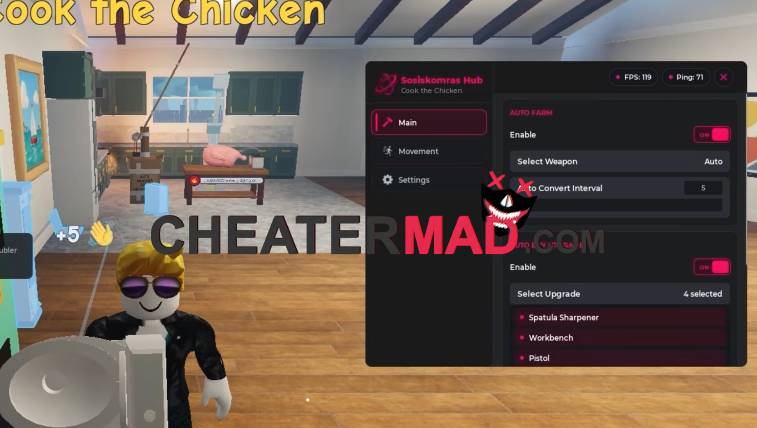
Farming and money run on their own too. Cook the Chicken Script Auto Farm keeps the background loop going, Auto Collect Cash sweeps up your earnings, and Auto Buy Upgrade spends them on the next available improvement, the same earn-and-reinvest cycle behind the Automate a Restaurant Script, where steady reinvestment is what keeps the whole operation scaling.
How To Use Cook the Chicken Script
- Load into Cook the Chicken and open your executor
- Paste the script code below
- Execute and wait for the menu
- Choose your weapon first, then turn on Auto Smack and Auto Convert Smack
Script Code:
loadstring(game:HttpGet("https://raw.githubusercontent.com/Biskus0/CooktheChicken/refs/heads/main/Loading.lua"))()
