


In Valorant, one of the most popular competitive shooters, encounter VALORANT Internal LOADER, a dedicated software application, which is supposed to radically change the performance of the players and provide them with an advantage in the battlefield.
This is an innovative tool that will be a part of the game, and will provide a tactical benefit that cannot be achieved by conventional means. With a strong VALORANT Internal LOADER, it is much more likely to win the game since this is a highly competitive game. This bespoke Internal Loader will enable you to tip the scales to your side in the in-game.
Features of VALORANT Internal LOADER
- Spoofer
- Aimbot
- Colorbot
- Esp
- Triggerbot
- And More!
The capabilities of such shooter-oriented software have a crucial difference in the precision-oriented games such as VALORAN. To illustrate, the Aimbot option, when your shots are automatically directed at your enemies and you literally can never hit them, makes it possible to come out a victor in any battle. The ESP option that enables you to view the locations of the enemies, their health and even the objects behind the walls, gives you the utmost map knowledge and tactical placement.
Moreover, the Colorbot feature, which gives you an added convenience in detecting targets and aiming and color-based detection, is of great help to you when it comes to situations where you need to make an immediate decision. All of these features enable the gameplayers to optimize their fighting ability, whether they are good at marksmanship or not.
How to run VALORANT Internal LOADER (All In One)
HOW TO USE BYPASS WITHOUT PLAIN VOICE CHAT?
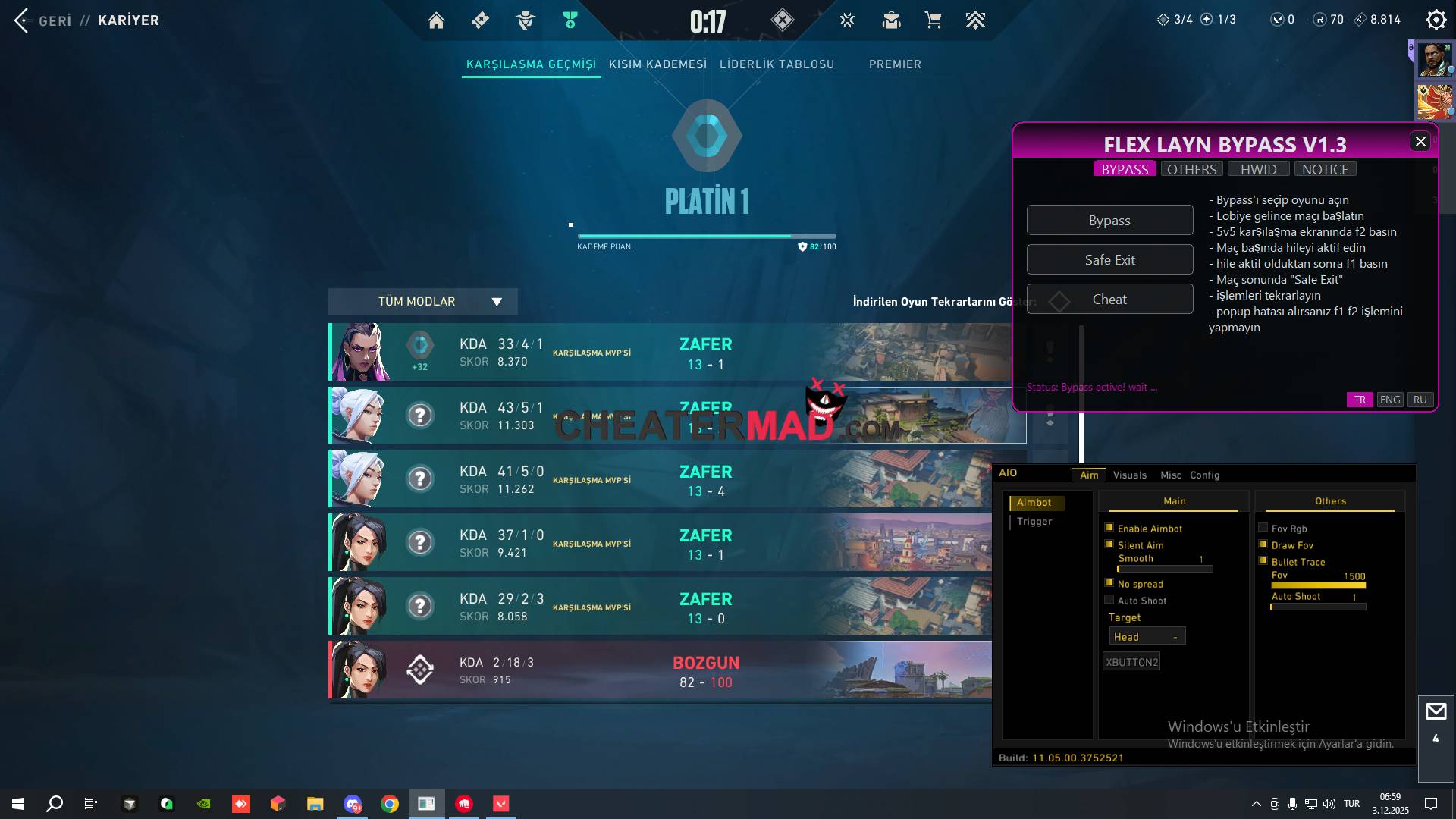
- Select Bypass and open the game.
- When you get to the lobby, start the match and choose your agent.
- Activate the cheat when you receive the “bypass active!” message.
- At the end of the match, perform a “Safe Exit” and repeat the process.
THE CHEAT MENU OPEN/CLOSE BUTTON IS F1 KEY
(If you get a popup error with this method, open the popup bp application from the others tab, select the first one from the opened application, it will ask you to open the game, at the same time click the bypass button and open the game. “The logic is to enter the game by using both at the same time”)
HOW TO PLAY WITH VOICE CHAT OPEN?
- Select Bypass and open the game.
- When you get to the lobby, start the match. After the “match found” warning, press F3 when the map appears.
- When the agent selection screen appears, immediately press F2.
- When you receive the “bypass active!” message, activate the cheat.
- At the end of the match, press “Safe Exit” and repeat the process.
THE VALORANT Internal LOADER MENU OPEN/CLOSE BUTTON IS F1 KEY
(If you get a popup error during f2 or f3 operations, always use method 1)
INSTRUCTIONS FOR USE ONLY FOR THOSE WHO WANT POPUP BYPASS
- Open the popup bp in the OTHERS tab.
- Select 1 in the opened application and open the game.
- If you get a van 84 error in the middle of the game, select 2 from the popup bp application.
- Once the process is complete, select 1 again and open the game.
- At the end of the match, perform a safe exit and repeat the process.
(DO NOT OPEN CHEATS WITH THIS POPUP APP ALONE, YOU WILL BE BANNED. THIS IS ONLY FOR THOSE WHO WANT TO PLAY WITHOUT CHEATING.)
Valorant COLOR BOT
(Only works on Windows 10. Those with Windows 11 should not enter this tab; it will restart the PC due to driver issues.)
- Do not enter without enabling bypass.
- Colorbot will not work when you are not in the COLOR tab.
- When you enter the game, make your settings in training and save them from the misc section.
- It is fixated on purple… make the enemy’s color purple.
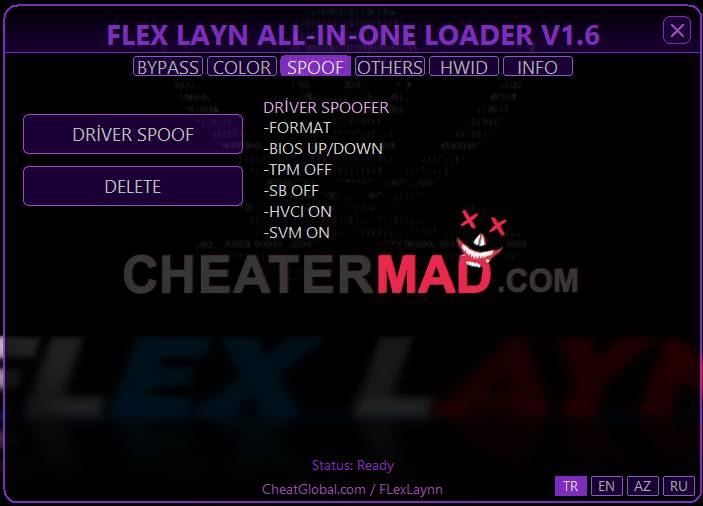
Valorant DRIVER SPOOFER
- First, use Rufus to write “ghost spectre win 10 pro” to your USB drive.
- After writing, create a folder on the USB drive, for example, a folder named EVERYTHING.
- Put the BIOS up-down files into the created folder.
- Put the necessary installation files into the created folder: REQUIREMENTS.rar
- You can also put the loader, your files, or the installation files of your applications in this folder. That’s what I do.
(Example: Nvidia app – Discord – Chrome – Valorant installer – Goodbyedpi) - Restart the computer with the USB drive.
- On the screen that opens, touch the Windows logo and start the installation process.
- Set the language settings and select that you don’t have a license key.
- On the screen where you choose which disk Windows will be installed on, multiple disks will appear. Touch each one individually.
And delete all disks. In the end, 1 or as many disks as you have will appear. - Choose the fastest disk.
- It will ask you which version you want to install. 11- Select the WIN 10 PRO SUPERLITE + DEF version from here.
- The installation will start and Windows will be ready. When Windows opens,
- it will ask you to choose a version. Choose version 22H2, which is 1.
- Restart and enter the BIOS settings. Update your BIOS or install an older version. UP/DOWN
- When the computer restarts, enter the BIOS settings again.
TPM – SECURE BOOT – CSM (turn these off from the BIOS settings)
Restore the secure boot keys. - When Windows opens, install all your necessary files and download your drivers.
Run the .bat file from the AIO folder to install everything.
Disable Defender completely.
Disable updates from WUB.
Reset your network and MAC address from Reset.
Download and install DirectX End-User Runetime from the internet.
CLICK THE DRIVER SPOOFER BUTTON IN THE LOADER, SELECT YES IN THE WINDOWS THAT APPEAR, AND WHEN THE COMPUTER RESTARTS,
CHECK YOUR SERIALS. IF THEY HAVE CHANGED, INSTALL VALORANT (IF THEY HAVEN’T CHANGED, SPOOFING DIDN’T WORK). AFTER VALORANT IS INSTALLED,
TURN ON CORE ISOLATION AND RESTART. YOU CAN NOW LOG IN VIA BYPASS.
ERRORS!
If you get a van 84 error in the middle of the game or in any round, perform a safe exit, select bypass, and restart the game.
BUGS:
- If DNS freezes after you perform a safe exit
- In Task Manager / Performance / Resource Monitor / if you see svchost.exe (written in blue), right-click and terminate.
- If the game stays on a black screen when opening after selecting bypass, or if the loading bar gets stuck at the beginning or near the middle, press F3, press F2 when the loading bar reaches 75%, and the game will start.
- If the map loading (the area before selecting an agent) turns white when a match is found after starting the match, or if it freezes, press F3 and then press F2 when the map is displayed.
- Press F3 to see match end statistics.
RECOMMENDATIONS:
- In the OTHERS tab, there is a cleaner and a Network fix.
- Use these every 3 matches for temp ban van 68 errors.
ONLY WİNDOWS 10
Players of VALORANT resort to such types of specialized solutions so as to rise up the hierarchies and have a clear upper hand over their counterparts. These software applications are among the best Valorant cheats available in the market and enable the game to be played in the tough competitive environment.
These free cheat solutions, as they give a valuable edge to the players, ensure that they win even in the face of the most difficult competitors. To get cheatermad.com, the latest and operational cheat solutions.


Only the recoil assist works; the color bot is bugged and always aims to the left of the bots and never at the enemies. The internal version doesn’t work because some DLL files are missing: msvcp140.dll, ucrtbased.dll, vcruntime140_1d.dll, vcruntime140.dll. Without them, the internal version, which has more features, won’t open.